Looks and the Girl wand
How to change the girls’ clothes and details and share your version.
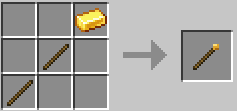
The Girl wand
Crafted from a gold ingot and two sticks in a column (ingot on top).
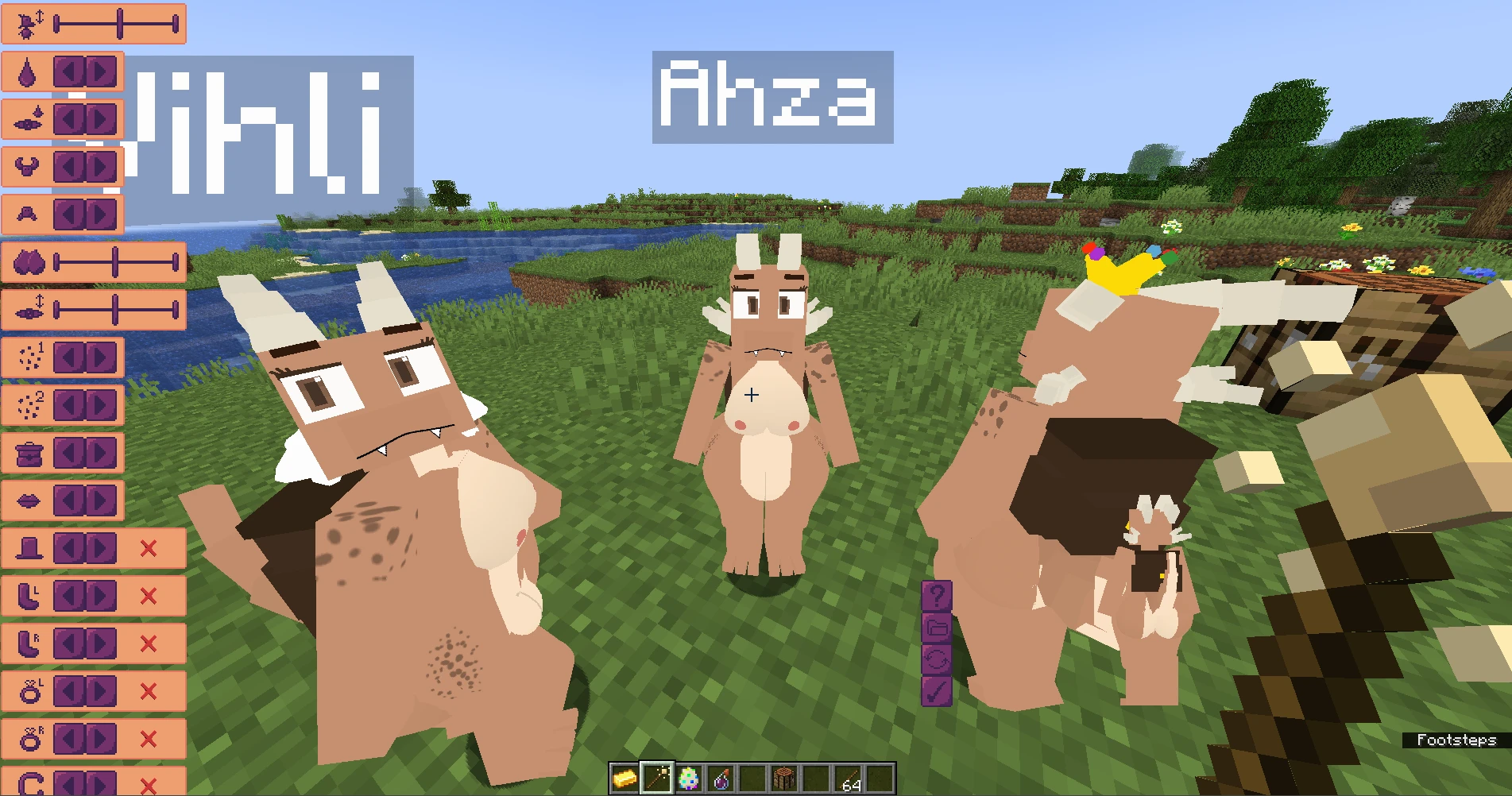
- Right-click a girl to open the appearance editor: clothes and model details.
- Left-click a girl to print her model code in chat and copy it to the clipboard.
- Left-click the air to get the code of your own morph.
The wand lights up while you’re aiming at a girl.
Model codes
A model code is a line of text that stores the whole look: clothes, colours, details. It’s an easy way to share with friends.
To apply someone else’s code, look at a girl and type:
/setmodelcode <code>If you’re not looking at anyone, the code is applied to your morph.
Custom models on servers
A server owner can add their own girl models to the server. For the server to be able to send them to you, add it to your whitelist: join the server, type /whitelistserver and then /whitelistserver confirm.
A server admin can reload the models without a restart with /reloadcustommodels.
Resource packs
Ready-made looks from the community are in the resource pack catalog. How to install them is on the Resource packs page.